Digital mail for small business tax records: meeting ATO record-keeping rules without a filing cabinet
August 6, 2026
Michael Tippett
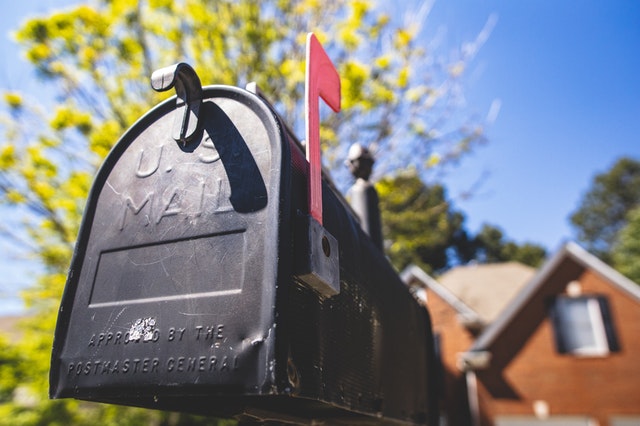
Most Australian small businesses run their accounting in software and their record-keeping in a shoebox. Invoices arrive by email and go straight into the ledger; the paper that still comes by post (supplier invoices, ATO notices, bank correspondence, insurance schedules, government notices) accumulates in a drawer and gets dealt with once a year, badly. Digital mail closes that gap by turning every posted item into a dated, searchable file at the moment it arrives. This guide covers what the ATO actually requires, where digital copies stand, and how to set the process up. It is general information, not tax advice: your accountant and the ATO's current guidance govern your obligations.
What the ATO requires you to keep, and for how long
The baseline rule for most business records is five years. Specifically, records must generally be kept for five years from the date they were prepared or obtained, or from the date the transaction or act they relate to was completed, whichever is later. That "whichever is later" clause matters more than people notice: a contract signed in one year and completed three years later starts its five-year clock at completion.
Some categories run longer or work differently:
- Capital gains tax records. Keep records relating to an asset for as long as you own it, and then for five years after the CGT event. For a commercial property or a long-held business asset, that can be decades.
- Records subject to a dispute or amendment. If you are in a dispute with the ATO, or amend an assessment, the retention period generally extends.
- Company and employment records. Corporations Act and Fair Work obligations sit alongside tax rules and have their own periods: Fair Work employee records, for example, must be kept for seven years.
Check the specifics that apply to your structure on the ATO's record-keeping pages rather than working from a single number.
Are scanned copies acceptable to the ATO?
Yes, subject to conditions. The ATO accepts electronic records, including digital images of paper documents, provided they meet the general requirements that apply to any record:
- They are a true and clear reproduction of the original. Legible, complete, and not cropped or partially captured.
- They cannot be altered or manipulated. The stored copy must be protected against change, whether accidental or deliberate.
- They are in English, or readily accessible and easily convertible into English.
- They remain retrievable for the whole retention period, in a format you can still open. This is a real risk with proprietary formats and defunct cloud services: PDF is the safe choice.
- They explain the transaction. A record that does not show what was bought, from whom, when, and for how much does not do its job regardless of format.
Once a paper document has been captured to a compliant electronic copy, you generally do not need to keep the paper. That is the practical payoff: the drawer can go.
What arrives by post that you actually need to keep
Even in a paperless business, the posted stream still contains records with retention obligations attached:
- Supplier tax invoices, particularly from smaller trade suppliers who still post. Remember you generally need a valid tax invoice to claim a GST credit on purchases over A$82.50 including GST.
- ATO notices of assessment, activity statement correspondence, penalty and interest notices, and payment plan confirmations.
- Bank and finance correspondence, including loan statements and interest summaries used for deduction claims.
- Insurance schedules and certificates of currency.
- Council rates, land tax and utility notices for business premises.
- ASIC annual statements and invoices.
- Vehicle and equipment finance documentation, and anything supporting a depreciation claim.
How mail scanning fits into the workflow
The mechanism is simple. Your business correspondence address is a monitored address rather than an office letterbox or a home one. Each item is logged, and your default handling instruction determines what happens next, for a business focused on records, open-and-scan is the sensible default. You receive a notification when the scanned PDF is available.
Three things about that change the record-keeping picture:
- An arrival date you did not have to record yourself. Every item carries a receipt timestamp, which matters for anything with a response deadline attached.
- Filing at the point of receipt. A PDF can go straight into your accounting software's document store against the right transaction, while you still remember what it is. Annual shoebox reconciliation is where deductions get lost.
- Search. Finding "the insurance certificate from three years ago" in a folder of PDFs takes seconds. In a filing cabinet it takes an afternoon, and in a shoebox it usually does not happen.
Physical originals that you genuinely need (anything wet-signed, sealed, or required in hard copy) can be forwarded on request while everything else is stored or securely destroyed.
The audit and dispute angle
The point of record-keeping is not tidiness, it is being able to substantiate a position later. In a review or audit, the ATO asks for documents supporting specific claims, often several years after the fact. Two failure modes account for most of the pain: records that were never kept, and records that exist somewhere but cannot be produced within the time allowed.
A dated digital archive addresses both. It also removes the single-point-of-failure problem that a physical archive has: a flood, a fire or a break-in at a home office destroys paper records permanently, and "the records were destroyed" is not generally an excuse that removes the obligation.
Setting it up
- Establish a business correspondence address and update it with the ATO, ASIC, your bank, suppliers and insurers. Our address change checklist lists the organisations worth doing first.
- Set open-and-scan as the default action so nothing waits on a decision.
- Agree one filing convention: most accounting packages let you attach a document to a transaction, which is better than a parallel folder structure.
- Decide your retention rule, and apply it to digital copies as deliberately as you would to paper.
- Keep a second copy. Cloud accounting is not a backup of itself.
If you work from home, there is a second benefit worth noting: routing business mail elsewhere keeps your residential address off supplier records, invoices and public registers, which our guide to protecting your home address in business records covers in detail. Sole traders and micro-businesses will also find the practical setup in our small business owners page useful.
None of this makes tax time enjoyable. It does mean that when your accountant asks for the paperwork, it exists, it is dated, and you can find it.
Set up a scanned business mail address with HotSnail